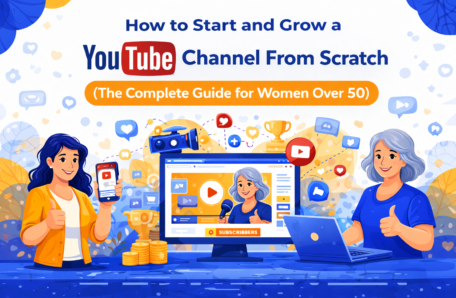
I want to tell you something that most YouTube "gurus" won't.
You do not need a ring light that costs $300. You do not need a professional camera. You do not need a perfectly decorated home office backdrop. You do not need to be young, polished, or conventionally "camera-ready."
What you need is this: something genuinely useful to say, the courage to say it on camera, and the consistency to keep showing up.
That's it.
I know the idea of starting a YouTube channel can feel overwhelming — or even a little terrifying. The thought of putting your face on camera and sharing it with the world is genuinely vulnerable. And if you're over 50, you may have an extra layer of doubt whispering things like: "Who wants to watch someone my age?" or "I'm not tech-savvy enough for this" or "It's too late to start."
I want to address those doubts directly — because they are not just unhelpful. They are factually wrong.
The fastest-growing demographic on YouTube right now is women over 50. Audiences are actively searching for creators who look like them, speak like them, and understand their specific life stage. The polished, twenty-something influencer is not who your audience wants to learn from. They want you — your experience, your wisdom, your authenticity, and your hard-won perspective.
And from a purely practical standpoint: YouTube is the second largest search engine in the world, with over 2 billion logged-in users every month. It is owned by Google — which means YouTube videos frequently appear in Google search results, giving your content double the visibility of a blog post alone.
When you combine a blog with a YouTube channel — as this content strategy is designed to do — you create a content ecosystem that works together to build your audience, your authority, and your income from multiple directions simultaneously.
This post is going to show you exactly how to build that channel — from creating your account to filming your first video to growing an audience that genuinely loves what you create.
By the end of this post, you will know:
✅ How to set up your YouTube channel professionally in under an hour
✅ What equipment you actually need — and what you absolutely don't
✅ How to plan and film your first video without freezing up
✅ How to optimize your videos so YouTube and Google can find them
✅ The simple growth strategy that works for brand new channels
✅ How to monetize your channel — and when to realistically expect income
Let's build your channel.
Quick Navigation:
- Why YouTube is Non-Negotiable for Bloggers in 2025
- Setting Up Your YouTube Channel Professionally
- Equipment: What You Actually Need (And What You Don't)
- Planning Your First Video
- Filming Without Freezing: How to Be Natural on Camera
- Editing Your Video — Simply and Quickly
- Uploading and Optimizing Your Video for Search
- Your YouTube Growth Strategy
- How to Monetize Your YouTube Channel
- Your Action Plan This Week
Why YouTube is Non-Negotiable for Bloggers in 2025
Before we get into the practical steps, I want to make sure you understand why YouTube deserves a central place in your content strategy — because once you understand the opportunity, the motivation to push through the initial discomfort becomes much easier to find.
YouTube is the world's second largest search engine.
Every single day, people type questions into YouTube's search bar — questions like "how do I start a blog," "what is affiliate marketing," and "how do I make money online over 50." If you have a video that answers those questions, YouTube will show it to those people — for free, indefinitely, without you having to do anything after the initial upload.
Just like Google SEO, YouTube SEO creates compounding, long-term traffic. A video you upload today can still be bringing new viewers — and new blog readers, email subscribers, and affiliate customers — two years from now.
YouTube videos appear in Google search results.
When you search for something on Google, you've probably noticed that video results frequently appear at the top of the page — often above the regular blog post results. This means that a well-optimized YouTube video gives you two chances to appear on page one of Google: once as a video result and once as a blog post result.
For bloggers who are also creating YouTube content, this is an enormous competitive advantage.
Video builds trust faster than any other medium.
When someone reads your blog post, they get your words. When they watch your YouTube video, they get your words, your voice, your face, your energy, and your personality. The connection that forms through video is deeper and faster than almost any other medium — and deeper connection means higher trust, which means more email subscribers, more affiliate sales, and more loyal long-term readers.
The "Video-First" workflow makes everything more efficient.
As outlined in the content calendar at the beginning of this series, this blog is built on a video-first workflow — meaning you film a YouTube video first, then repurpose the transcript and key points into a blog post. This approach means you are creating two pieces of content — a video and a blog post — for roughly the same amount of effort as creating one. It is one of the most efficient content strategies available to a solo blogger.
Setting Up Your YouTube Channel Professionally
Setting up a YouTube channel takes less than an hour — and doing it properly from the start will save you time and frustration later. Here is exactly how to do it.
Step 1: Create a Google Account (If You Don't Already Have One)
YouTube is owned by Google, so you'll need a Google account to create a channel. If you already have a Gmail address, you already have a Google account. If not, go to accounts.google.com and create one.
Step 2: Create Your YouTube Channel
- Go to YouTube.com and sign in with your Google account
- Click your profile icon in the top right corner
- Click "Create a channel"
- Choose whether to use your personal name or a custom channel name
- Click "Create channel"
💡 Personal Name vs. Channel Name: For a personal brand blog — which is what this content strategy is built around — I recommend using your own name or a variation of it as your channel name. This creates consistency across your blog and YouTube channel, and personal brands tend to build deeper audience connections than anonymous brand names.
Step 3: Complete Your Channel Profile
This is where most beginners rush — and where a little extra effort pays enormous dividends.
Channel Description:
Write a clear, keyword-rich description of your channel — who you are, who you help, and what kind of content you create. Include the keywords your ideal viewer would search for. Example:
"I'm [Your Name] — and I help women over 50 build a profitable online business from home, one simple step at a time. Every week I share plain-English tutorials on blogging, affiliate marketing, email marketing, and making money online — designed specifically for women who are starting from scratch and want to do this right. Subscribe for a new video every [day of week]."
Channel Art (Banner Image):
Create a professional banner image using Canva — which has free YouTube channel art templates built in. Your banner should include:
- Your name or channel name
- A clear statement of who you help and what you create
- Your upload schedule (e.g., "New videos every Tuesday")
- A professional photo of yourself
The recommended dimensions for a YouTube channel banner are 2560 x 1440 pixels.
Profile Photo:
Use the same professional headshot you use on your blog and Pinterest. Consistency across platforms builds recognition and trust.
Channel Trailer:
Once you've uploaded your first video, set it as your channel trailer — the video that plays automatically when a new visitor lands on your channel page. Your trailer should be 60–90 seconds long and answer three questions: Who are you? Who is this channel for? Why should they subscribe?
Step 4: Set Up Your Channel Sections
Organize your channel homepage by creating sections — groupings of videos by topic or series. This makes your channel easier to navigate and encourages new visitors to explore more of your content.
For a new channel, start with two sections:
- "Start Here" — featuring your most important introductory videos
- "Latest Videos" — featuring your most recent uploads
Equipment: What You Actually Need (And What You Don't)
This is the section where I want to save you from the most common and most expensive mistake new YouTubers make: over-investing in equipment before you've found your footing.
Here is the truth: the quality of your content matters infinitely more than the quality of your equipment. A video filmed on a smartphone with good lighting and clear audio will outperform a beautifully shot video with nothing interesting to say — every single time.
Start simple. Upgrade gradually as your channel grows and your income justifies the investment.
What You Actually Need
A Camera — Your Smartphone is Fine
The camera on any smartphone made in the last four years is more than adequate for YouTube. The iPhone and most Android flagship phones shoot in 4K — which is higher quality than many dedicated cameras. Start with your phone. Upgrade to a dedicated camera only when you feel limited by what your phone can do.
If you do want to invest in a dedicated camera, the Sony ZV-1 or Canon M50 Mark II are both excellent, beginner-friendly options in the $400–$600 range.
A Tripod
A shaky, handheld video is unwatchable. A simple smartphone tripod costs $20–$30 on Amazon and makes an immediate, dramatic difference to the professionalism of your videos. This is the one piece of equipment I consider non-negotiable from day one.
Good Lighting
Lighting is the single biggest factor in how professional your video looks — and good lighting costs almost nothing. Here are your options, from free to affordable:
- Natural light (free): Film facing a window during daylight hours. Natural light is flattering, free, and produces beautiful results. Position yourself so the window is in front of you — not behind you.
- Ring light ($30–$80): A ring light provides consistent, flattering light regardless of the time of day or weather. A basic ring light from Amazon is a worthwhile investment once you're ready to film more consistently.
A Microphone
Audio quality matters more than video quality. A video with slightly soft visuals but clear, crisp audio is far more watchable than a beautifully shot video with muffled or echoey sound.
Your options:
- Built-in phone microphone (free): Adequate if you're filming in a quiet room and staying close to the camera. Not ideal for larger spaces.
- Lavalier (lapel) microphone ($20–$40): A small clip-on microphone that plugs into your phone's headphone jack. Dramatically improves audio quality for minimal investment. The Rode SmartLav+ is an excellent option.
- USB desktop microphone ($60–$100): Ideal if you're filming at a desk. The Blue Yeti Nano or Rode NT-USB Mini are both excellent choices.
A Simple Backdrop
You don't need a professional studio. A tidy, uncluttered corner of your home — with a bookshelf, a plant, or a simple piece of wall art in the background — is perfectly professional. The key is that the background should be clean, undistracting, and consistent from video to video.
What You Don't Need
- An expensive DSLR camera
- A professional lighting kit
- A dedicated recording studio
- Expensive video editing software
- A teleprompter
- A production team
Start simple. The most successful YouTube channels in the world were started on smartphones in spare bedrooms. Yours can be too.
Planning Your First Video
The biggest mistake new YouTubers make is sitting down to film without a plan — and then either freezing up completely or rambling for twenty minutes without a clear point.
Every video you create should be planned around a single, specific question your ideal viewer is asking. Not a broad topic — a specific question.
Not this: "Affiliate marketing"
This: "How do I make my first affiliate sale as a complete beginner?"
Not this: "Blogging tips"
This: "How do I write a blog post when I have no idea what to say?"
Once you have your specific question, plan your video using this simple structure:
The 5-Part Video Structure
Part 1: The Hook (0:00–0:30)
The first 30 seconds of your video are the most important. If you don't capture your viewer's attention immediately, they will click away — and YouTube's algorithm will interpret this as a signal that your video is not worth promoting.
Your hook should do one of three things:
- State a bold, surprising, or counterintuitive claim
- Ask a question your viewer desperately wants answered
- Promise a specific, valuable outcome
Example hook: "In this video, I'm going to show you exactly how I made my first affiliate commission — and I'm going to do it in a way that feels nothing like selling. If you've been wondering whether affiliate marketing actually works for real people, stay with me — because by the end of this video, you'll have a clear, step-by-step plan to make your first sale."
Part 2: The Introduction (0:30–1:30)
Briefly introduce yourself, establish your credibility, and tell the viewer exactly what they're going to learn in this video. Keep this short — your viewer came for the content, not your biography.
Part 3: The Main Content (1:30–8:00)
Deliver the core content of your video — the step-by-step information, tutorial, or advice your viewer came for. Break it into clear, numbered steps or sections. Use simple language. Give specific examples. Be generous with your knowledge.
Part 4: The Summary (8:00–9:00)
Briefly recap the key points covered in the video. This reinforces the learning and gives viewers who skipped ahead a clear overview of what they missed.
Part 5: The Call to Action (9:00–10:00)
End every video with a clear call to action. Tell your viewer exactly what to do next:
- Subscribe to your channel
- Download your free lead magnet (link in description)
- Read the companion blog post (link in description)
- Watch another related video
- Leave a comment answering a specific question
💡 Ideal Video Length: For educational content in the online business niche, aim for 8–15 minutes per video. Long enough to cover the topic thoroughly — short enough to respect your viewer's time. As your channel grows and your audience engagement increases, you can experiment with longer formats.
Filming Without Freezing: How to Be Natural on Camera
This is the section most YouTube guides skip — and it's the one that matters most for women who are new to being on camera.
Being natural on camera is a skill. Like every skill, it improves with practice. Your first video will feel awkward. Your fifth video will feel less awkward. By your twentieth video, you will wonder what you were ever worried about.
Here are the strategies that make the biggest difference:
Talk to One Person — Not a Camera
The most common reason people freeze on camera is that they're thinking about the thousands of people who might watch the video. Instead, think about one specific person — your ideal viewer, Susan — and talk directly to her. Imagine she's sitting across the table from you, asking for your help. That is the energy your videos need.
Use Notes, Not a Script
Reading from a script word-for-word produces stiff, unnatural delivery. Instead, create a bullet-point outline of your key points and talk through them conversationally. You'll sound more natural, more engaging, and more like yourself.
Do Multiple Takes — And Keep the Mistakes
Film each section of your video multiple times if needed. Keep the take that feels most natural — even if it's not perfect. Small stumbles and self-corrections actually make you more relatable and trustworthy, not less. Your audience is not looking for a polished TV presenter. They are looking for a real person who genuinely wants to help them.
Warm Up Before You Film
Before you hit record, spend two to three minutes talking out loud — about anything. Tell your phone about your morning. Describe what you had for breakfast. Read a paragraph from a book aloud. This warms up your voice, loosens your jaw, and gets you out of your head before the camera starts rolling.
Film in Short Segments
You do not have to film your entire video in one take. Film one section at a time — stopping and restarting between each part. This makes the process far less overwhelming and gives you natural edit points in your footage.
Watch Your Videos Back — Once
Watch each video back once before editing — not to be self-critical, but to identify what worked well and what you'd like to improve next time. Then let it go. Perfectionism is the enemy of progress on YouTube. Done is always better than perfect.
Editing Your Video — Simply and Quickly
Video editing does not need to be complicated. For a beginner blogger creating educational content, simple editing is not just acceptable — it is often preferable. Your audience wants clear, helpful information — not Hollywood production values.
Free and Beginner-Friendly Editing Tools
CapCut (Free — Desktop and Mobile)
CapCut is currently the most popular free video editing tool for beginner content creators. It is intuitive, powerful, and available on both desktop and mobile. It includes auto-captions — a feature that automatically generates subtitles for your video, which significantly increases watch time and accessibility.
iMovie (Free — Mac and iPhone)
If you use Apple devices, iMovie is already installed on your Mac and iPhone. It is simple, clean, and more than adequate for basic YouTube editing.
DaVinci Resolve (Free — Desktop)
For those who want more advanced editing capabilities without paying for software, DaVinci Resolve is a professional-grade editing tool with a free version that is genuinely excellent.
The Simple Editing Workflow
1. Import your footage into your editing tool
2. Cut out the long pauses, mistakes, and "um"s
3. Add a simple intro (your name and channel name — 3–5 seconds)
4. Add captions using the auto-caption feature
5. Add any text overlays or graphics that support your key points
6. Add a simple outro (subscribe button, links to related videos — 10–15 seconds)
7. Export in 1080p HD
Your first edit will take longer than you expect. By your tenth video, you will have a workflow that takes 60–90 minutes per video. By your twentieth, it will feel almost effortless.
Uploading and Optimizing Your Video for Search
Just like blog posts need SEO, YouTube videos need optimization — so that YouTube and Google know what your video is about and show it to the right people.
Here is your YouTube SEO checklist for every video you upload.
Video Title
- Include your primary keyword naturally
- Make it specific and benefit-driven — tell the viewer exactly what they'll learn
- Keep it under 60 characters so it displays fully in search results
- Example: "How to Make Your First Affiliate Sale (Step-by-Step for Beginners)"
Video Description
- Write at least 200–300 words
- Include your primary keyword in the first two sentences
- Summarize what the video covers — in detail
- Include links to your blog post, lead magnet, and related videos
- Include relevant keywords naturally throughout
- Add timestamps for each section of your video (YouTube uses these to create chapter markers, which improve user experience and search visibility)
Tags
- Add 5–10 relevant tags — including your primary keyword, secondary keywords, and broader topic tags
- Tags are less important than they used to be, but still worth including
Thumbnail
Your thumbnail is the single most important factor in whether someone clicks on your video. A compelling thumbnail can double or triple your click-through rate — which directly impacts how widely YouTube promotes your video.
Your thumbnail should:
- Feature a clear, expressive photo of your face (videos with faces in thumbnails consistently outperform those without)
- Include 3–5 words of bold, readable text that complements — not duplicates — your title
- Use bright, high-contrast colors that stand out in a grid of other thumbnails
- Be consistent in style across all of your videos — creating a recognizable visual brand
Create your thumbnails in Canva — which has free YouTube thumbnail templates built in. Recommended dimensions: 1280 x 720 pixels.
End Screen and Cards
- Add an end screen to the last 20 seconds of every video — featuring a subscribe button and links to two related videos
- Add cards at relevant points throughout your video — linking to related videos or your blog post
Category and Playlist
- Assign your video to the most relevant category (for educational content, "Education" or "Howto & Style" are usually appropriate)
- Add your video to a relevant playlist — grouping related videos together helps YouTube understand your content and encourages viewers to watch multiple videos in sequence
Your YouTube Growth Strategy
Growing a YouTube channel from zero takes time, consistency, and a clear strategy. Here is the approach I recommend for new channels in the online business niche.
Publish Consistently — Even if Imperfectly
The single most important factor in YouTube channel growth is consistency. Publish one video per week, every week, on the same day. This trains YouTube's algorithm to promote your content regularly, trains your audience to expect new content from you, and builds your library of videos faster than any other approach.
One video per week is sustainable. Two videos per week is ambitious. Three or more videos per week is a recipe for burnout. Start with one — and maintain it.
Focus on Search-Optimized Content First
In the early stages of your channel — the first six to twelve months — focus primarily on creating search-optimized content: videos that answer specific questions your ideal viewer is searching for. This type of content gets discovered through YouTube search, which means it can attract viewers even when your channel has no subscribers.
As your channel grows and your audience becomes more established, you can begin experimenting with more personality-driven, trending, or community-focused content.
Respond to Every Comment
In the early days of your channel, respond to every single comment you receive. This does three things:
- It builds genuine relationships with your early viewers — who become your most loyal long-term audience members
- It signals to YouTube's algorithm that your video is generating engagement — which leads to wider promotion
- It gives you invaluable insight into what your audience wants more of
Cross-Promote Across Every Platform
Every time you publish a new video:
- Publish the companion blog post and embed the video within it
- Send an email to your list with a link to the video
- Create Pinterest pins linking to the blog post (which contains the video)
- Share a clip or screenshot on any other social platforms you use
This cross-promotion strategy means every piece of content you create works across multiple platforms simultaneously — multiplying your reach without multiplying your workload.
Study Your Analytics
Once you've published five or more videos, start paying attention to your YouTube Analytics — particularly:
- Click-through rate (CTR): The percentage of people who see your thumbnail and click on it. A good CTR is 4%–10%. If your CTR is low, your thumbnails need work.
- Average view duration: How long, on average, people watch your videos. The higher this number, the more YouTube promotes your content. If viewers are dropping off early, your hooks need work.
- Traffic sources: Where your viewers are finding your videos — YouTube search, suggested videos, external websites, etc.
Use this data to make informed decisions about what to create more of — and what to improve.
How to Monetize Your YouTube Channel
There are four main ways to generate income from a YouTube channel — and they are not all created equal for bloggers in the online business niche.
1. Affiliate Marketing (Start Immediately)
You do not need any subscribers or watch hours to start earning affiliate income from YouTube. Simply mention relevant products naturally within your videos, include your affiliate links in the video description, and earn a commission every time a viewer clicks and purchases.
This is the fastest and most accessible form of YouTube monetization for new channels — and it integrates perfectly with your existing affiliate marketing strategy.
2. YouTube Partner Program (AdSense)
Once your channel reaches 1,000 subscribers and 4,000 watch hours in the past 12 months, you can apply for the YouTube Partner Program — which allows YouTube to place ads on your videos and pays you a share of the ad revenue.
For most channels in the online business niche, AdSense revenue is modest — typically $2–$5 per 1,000 views (known as RPM). At 10,000 monthly views, this translates to $20–$50 per month. Meaningful, but not life-changing on its own.
The real value of the YouTube Partner Program is not the AdSense revenue — it is the credibility and the additional features it unlocks, including the ability to add channel memberships and Super Thanks.
3. Sponsored Content
As your channel grows, brands in your niche may approach you to create sponsored videos — paying you a flat fee to feature or review their product. Sponsorship rates vary enormously depending on your niche, audience size, and engagement rate — but even a channel with 5,000–10,000 subscribers can command $200–$500 per sponsored video in the right niche.
4. Selling Your Own Products
The highest-margin form of YouTube monetization is selling your own digital products — courses, ebooks, templates, or coaching programs — directly to your audience. As your channel grows and your audience's trust deepens, this becomes an increasingly powerful income stream.
For now, focus on building your audience and your affiliate income. Your own products can come later — once you deeply understand what your audience needs and is willing to pay for.
Your Action Plan This Week
Here is your focused, step-by-step plan for launching your YouTube channel this week.
Day 1: Create your YouTube channel. Complete your profile — channel description, banner image, and profile photo. Use Canva for your banner.
Day 2: Plan your first video using the 5-part structure above. Choose a topic that answers a specific question your ideal viewer is searching for. Write your bullet-point outline.
Day 3: Set up your filming space. Position your phone on a tripod, face a window for natural light, and do a 2-minute test recording to check your audio and video quality.
Day 4: Film your first video. Do multiple takes if needed. Remember: done is better than perfect.
Day 5: Edit your video using CapCut or iMovie. Keep it simple — cut the mistakes, add captions, add a simple intro and outro.
Day 6: Create your thumbnail in Canva. Upload your video to YouTube. Write your title, description, and tags using the YouTube SEO checklist above.
Day 7: Publish your video. Share it with your email list. Create Pinterest pins for the companion blog post. And then — celebrate. You are now a YouTuber.
"The camera doesn't care how old you are. Your audience doesn't care whether your background is a spare bedroom or a professional studio. What they care about is whether you show up, whether you're real, and whether you genuinely want to help them. You have all three of those things. The rest is just practice."
📥 [Download Your Free Simple Start Roadmap — Click Here]
📺 [Watch the Companion YouTube Video — Click Here]
💬 Tell me in the comments: What's been holding you back from starting your YouTube channel? Drop it below — I read every single comment, and I promise you, whatever your answer is, you are not alone.
Found this helpful? Save it to Pinterest and share it with a friend who's been thinking about starting a YouTube channel. And make sure you're subscribed to the newsletter — every week I send out a new, plain-English guide designed specifically for women like you.